
For Clients
Your New Portal at a Glance – Everything your team needs to manage screening, all in one place.
Get in TouchYour New Portal
The client portal has been redesigned to give your team a clearer, more usable view of screening activity, including live application status, identity verification progress and DBS disclosure tracking.
As part of your move to the new platform, CBS will create individual user accounts and send login details directly to each user.
These details will include your Company Reference, username and a temporary password.
When logging in for the first time, users will be asked to reset their password.
Get in Touch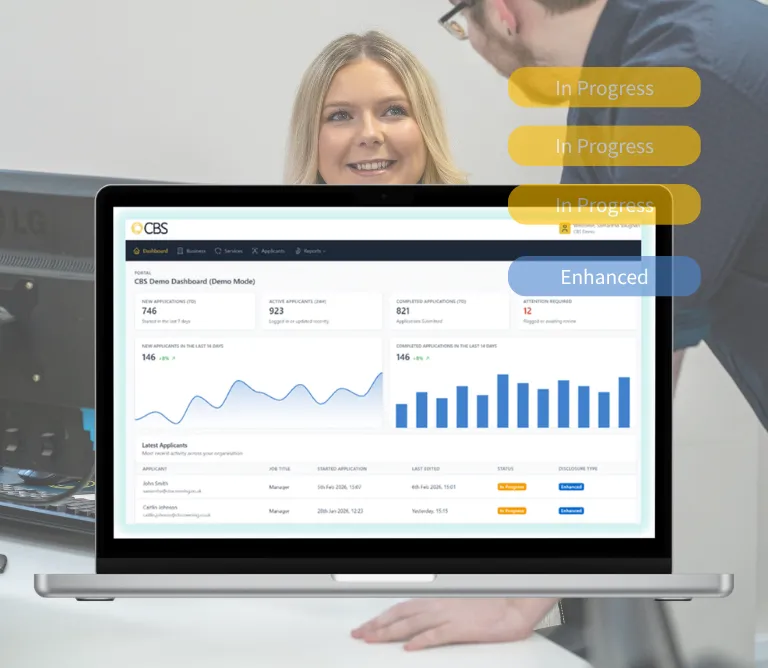
Dashboard
The dashboard gives your team a live, at-a-glance view of screening activity.
- New applications received in the last 7 days
- Completed applications
- Graphical details of active applicants that have logged in recently
- Applications awaiting review
- Active applicants that have logged in recently
- Details of the applications as well as the status
Below the headline stats, you’ll find a summary graph of recent activity and a live table of your latest applicants, showing name, job title, status, and disclosure type. This gives your team a quick way to check recent activity and see which applications may need attention.
Get in Touch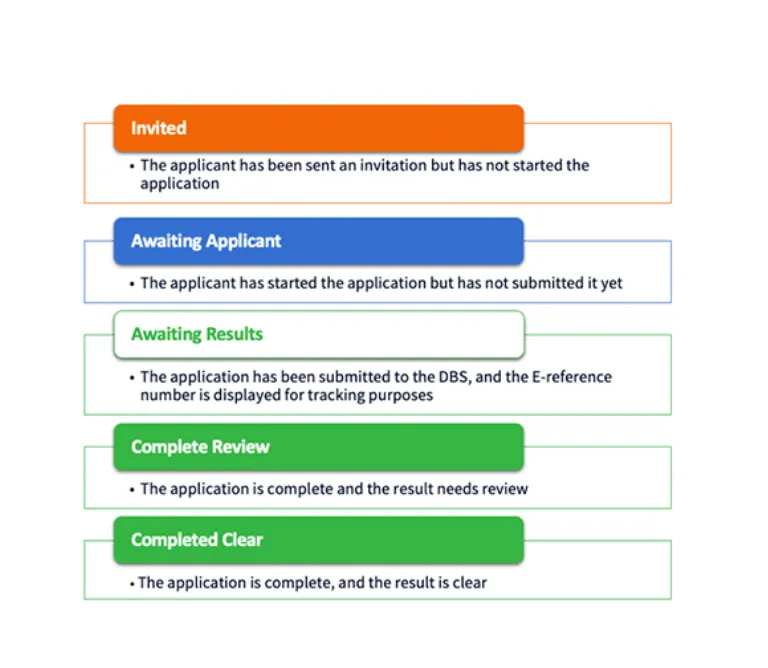
Applicant management
The applicants page lists every applicant in your account, giving your team a clear, real-time view of progress across all applications.
- Name and email
- Job title
- Application start date and last updated date
- Current status – colour-coded so your team can quickly see what’s in progress
- Disclosure type
At a glance, your team can see what has been completed, what is in progress and what may need attention – without needing to track information across emails or spreadsheets.
Each applicant record also provides further detail, including applicant information, identity verification status and DBS check status.
You can click any applicant to see their full detailed view: personal information, application date, ID verification status (including whether In-Branch Verification has been initiated), DBS status, and DBS result.
Get in Touch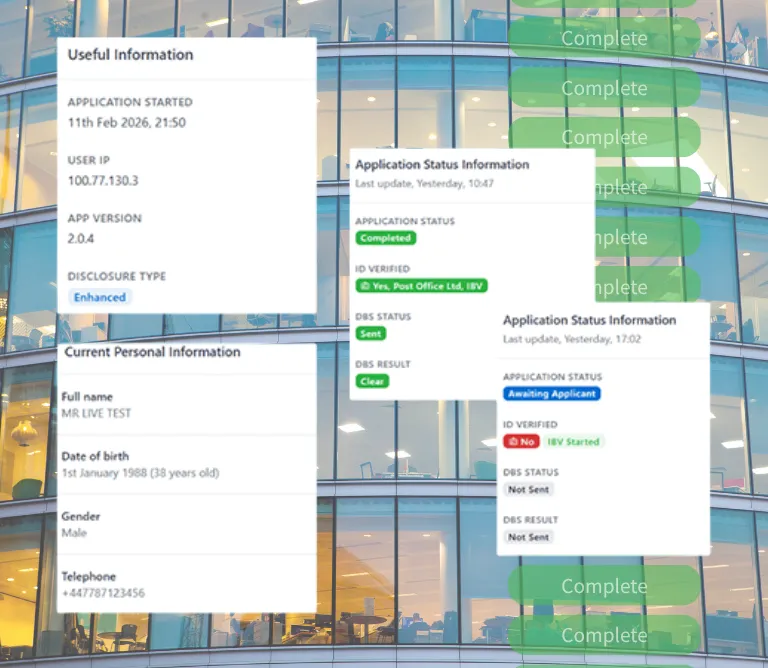
Inviting applicants
You can invite applicants individually or upload multiple applicants at the same time, making the process more efficient for high-volume hiring or mobilisation. You have two options.
- Invite Individual – Enter the applicant’s first name, last name and email address. Select the relevant service package.The applicant receives an invite email with a temporary password and one-time passcode to get started.
- Invite Multiple – Upload a CSV file to invite applicants in bulk – useful for high-volume hiring or mobilisation projects. Each applicant receives their individual invite automatically.
Services
The Services page shows all packages assigned to your account – including package name, default job title, digital identity provider, service level, and disclosure type. Your packages carry over from the previous platform with no changes to your agreements.
Where Digital Identity is selected, applicants who cannot complete Digital ID, do not hold the required documents or choose the in-branch route can complete identity verification at a participating Post Office branch.
Applicant Payment Options
Applicant pay options are being built into the new platform.You’ll then be able to choose whether identity and DBS checks are paid by your organisation, the applicant, or split between both – giving you greater flexibility across different roles and recruitment models. Further guidance will be provided on how applicant pay, client pay and split payment options will work.
Business page
The Business page holds your organisation details, branding preferences, and CBS contact information – including how to get in touch with the CBS support team.

Vertex Pharmaceuticals
“CBS offers unparalleled customer service, responding to queries and solving issues efficiently, something we found lacking with our previous supplier. We feel like we have a really good partnership and that CBS genuinely wants to help us, not just saying what we want to hear.”

DBS and Employment checks a year

Solutions mobilised within

Processing solutions

Organisations serviced in the UK